


SOUND PANDA / DIRECTIONAL ACTION LAB
ONE CUE.
ONE DIRECTION.
Follow a left-side approach, a right-side ambush, then a centered blast. Original 3D illustration with optional synthesized stereo, not game footage or measurements of earphone performance.
Synced scene + earphones. Synthesized illustration, not product measurements.
Muted by default. Headphones recommended for the optional quiet stereo illustration.
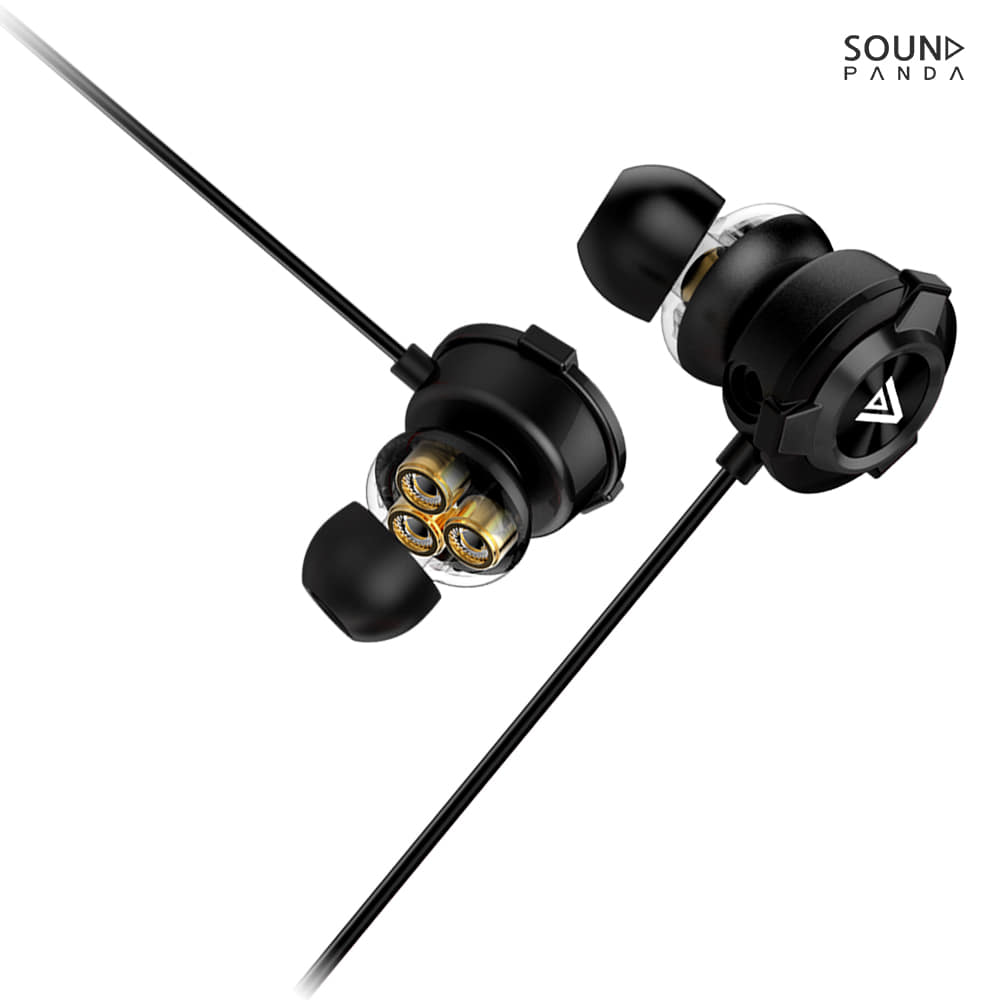 Product illustration · gentle motion
SPE-G9 PLUS / WIRED GAMING IN-EAR
Less headset.
More room to play.
Prefer an in-ear setup to a full-size gaming headset? G9 Plus pairs a compact earpiece with a detachable boom microphone, triple dynamic drivers and a direct wired connection.
No headband. No earcups. No charging routine.
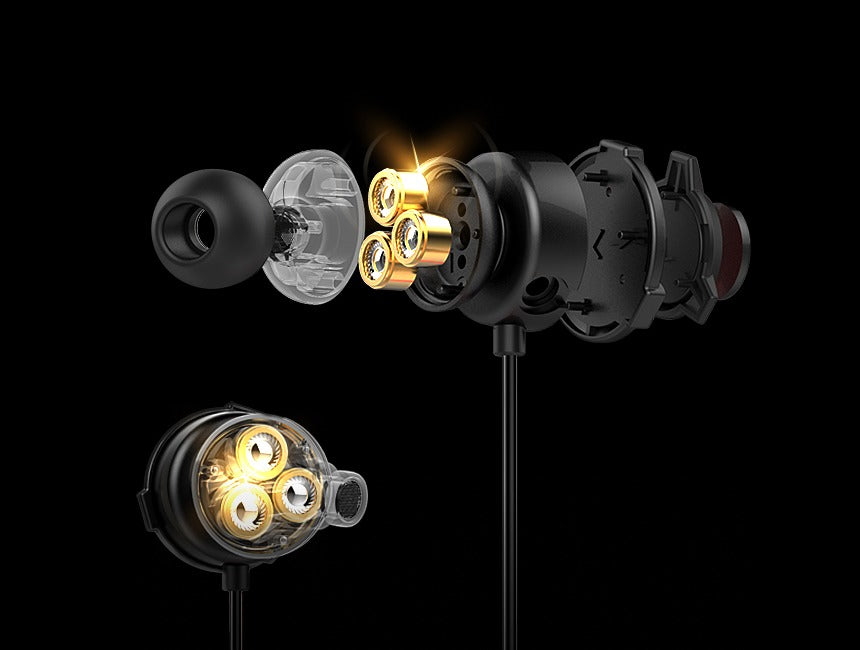
01 / TRIPLE DYNAMIC DRIVERS
Three drivers.
In each ear.
Each earpiece contains three 6 mm dynamic drivers. That is six driver units across the pair, packaged in an in-ear stereo setup.
- Driver layout
- 3 × 6 mm per side
- Impedance
- 16 Ω
- Listed frequency range
- 20 Hz–20 kHz
Manufacturer-listed driver specifications.
Visual effect only. No audio playback or acoustic measurement.
02 / DETACHABLE BOOM + INLINE MIC
Bring the boom.
Or keep it simple.
Attach the adjustable boom microphone when you want a dedicated mic for gaming voice chat. A second microphone is built into the inline controller for an alternative everyday setup.
- Detachable boom microphone with a 2.5 mm connection
- 11 cm boom microphone, manufacturer-listed
- Inline microphone plus microphone ON/OFF control
Microphone operation depends on the headset port, adapter and device settings. Check your input selection before joining a call or game.

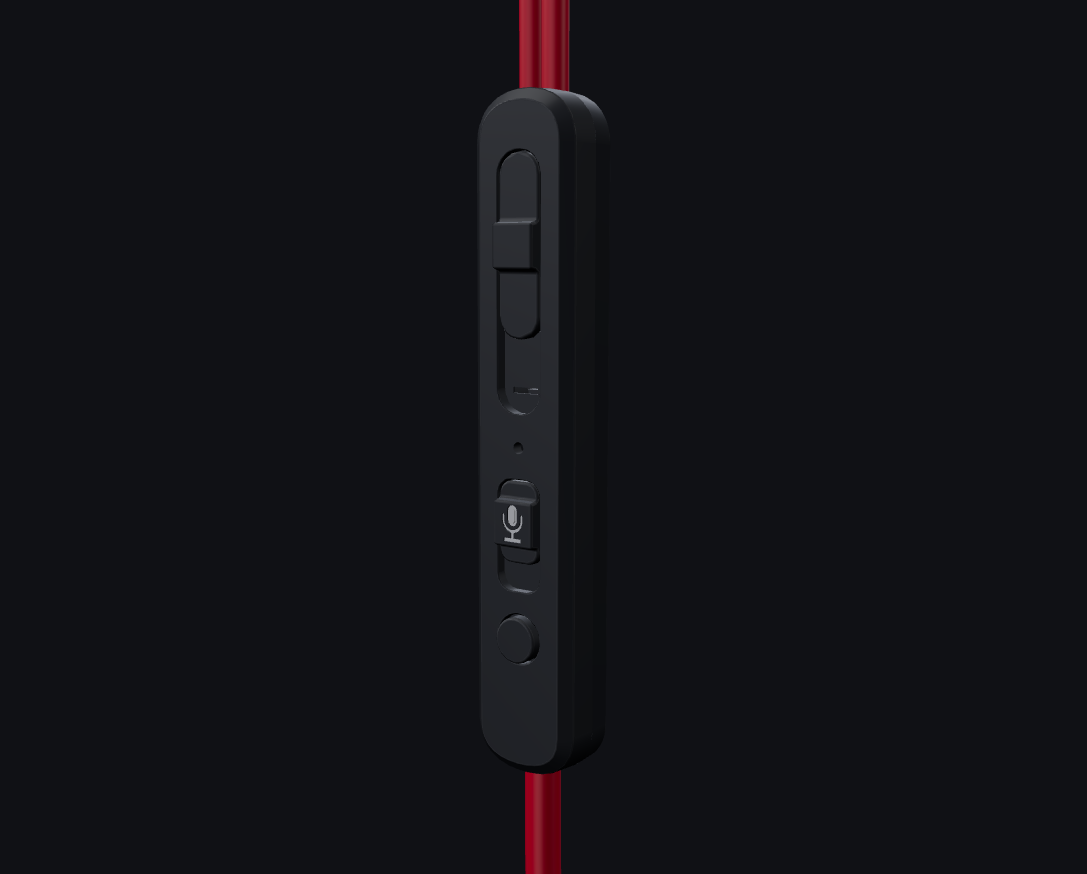
03 / INLINE CONTROL
Your controls.
Within reach.
- Volume slider
- Adjust the inline analog volume level.
- Mic ON/OFF
- Switch the inline microphone control on or off.
- Multifunction button
- Call and playback functions on supported devices and apps.
Remote-button and microphone behavior varies by connected device, operating system and adapter. Universal control support is not promised.
04 / WIRED BY DESIGN
Plug in.
No pairing step.
A 3.5 mm 4-pole connection carries headset audio and microphone signals to a compatible headset port. The manufacturer lists a 150 ± 3 cm cable.
For separate headphone and microphone sockets, use a compatible headset Y splitter. For USB-C or Lightning devices, use an adapter that supports both headset audio and microphone input.
See the connection guide ↓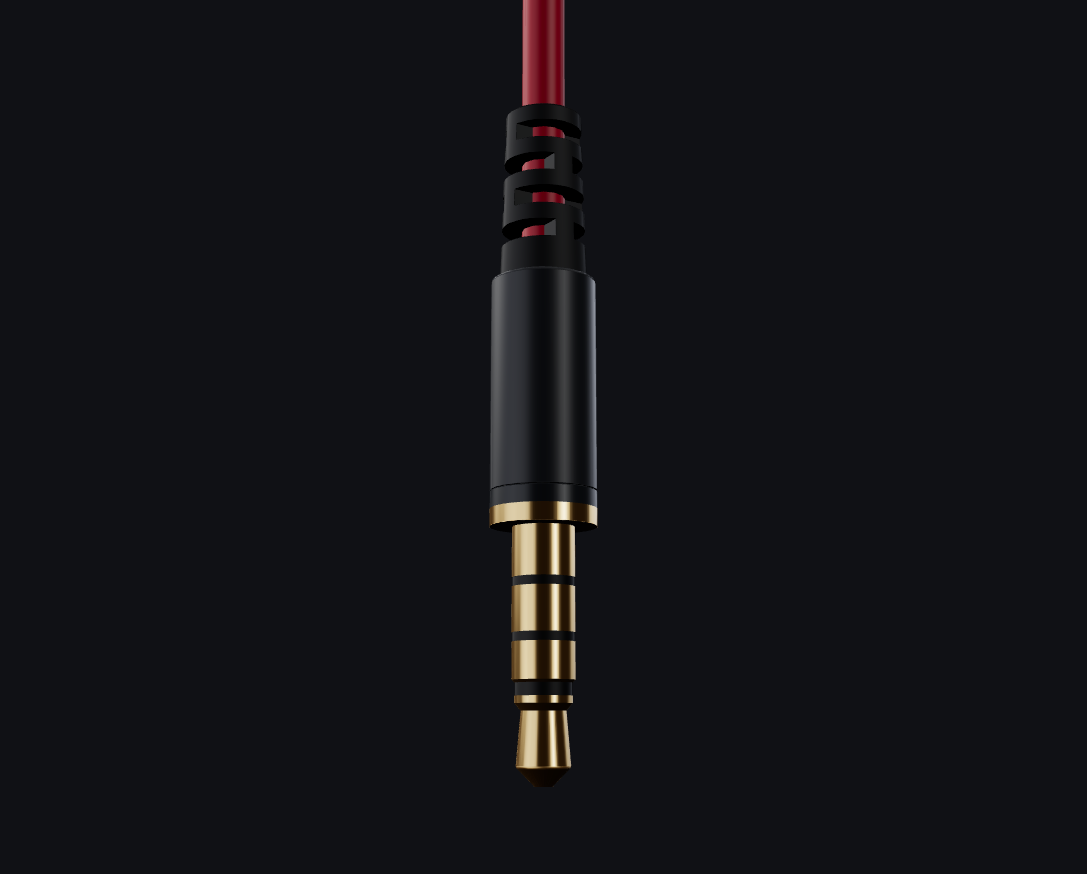
THE DETAILS
Know your setup.
Manufacturer-published specifications for SPE-G9 Plus.
Earphones
- Type
- Wired in-ear, stereo
- Drivers
- Three 6 mm dynamic drivers per earpiece
- Connector
- 3.5 mm, 4-pole
- Cable length
- 150 ± 3 cm
- Earpiece dimensions
- 20 × 30 mm
- Earpiece weight
- 5 g per side
- Listed total weight
- 23 g
- Impedance
- 16 Ω
- Frequency range
- 20 Hz–20 kHz
- Sensitivity
- 93 ± 3 dB
- Colors
- Red / Black
Boom microphone
- Design
- Detachable, adjustable
- Connection
- 2.5 mm
- Length
- 11 cm
- Impedance
- 2.2 kΩ
- Frequency range
- 100 Hz–10 kHz
- Sensitivity
- −42 ± 3 dB
Fit & package guidance
The product listing includes G9 Plus earphones with a detachable boom microphone and three sizes of silicone ear tips.
Accessory bundles can differ by market. If you need a Y splitter or carrying pouch, ask support to confirm the supplied package before ordering.
Specifications are manufacturer-published. Illustrations show the product design; regional accessories and packaging may differ.
GET READY TO PLAY
Three checks before you start.
- 01
Find your fit
Try the supplied ear-tip sizes and choose a secure fit. Keep playback volume low while adjusting.
- 02
Set up your microphone
Attach the boom microphone securely when using it. Check the mic control and select the correct input in your device or game.
- 03
Check the port
Use a compatible 3.5 mm headset socket. Separate audio/mic sockets need a suitable Y splitter; USB-C or Lightning needs a compatible adapter.
Questions before you order?
Is G9 Plus wireless or Bluetooth?
No. G9 Plus is a wired 3.5 mm headset. It does not need Bluetooth pairing or battery charging.
Can I use it with my PC, console or phone?
Check for a compatible 3.5 mm 4-pole headset port with microphone support. Device models, adapters and audio settings differ, so support for every PC, console or phone is not guaranteed. Check your device documentation or ask support before ordering.
My PC has separate audio and microphone sockets. What do I need?
Use a compatible headset Y splitter that separates a 4-pole headset connection into headphone and microphone connections. A splitter is not guaranteed to be included in every regional package; confirm your supplied kit if you need one.
Do the inline buttons work with every device?
No. Analog volume adjustment and microphone or multifunction-button behavior depend on the connected host, adapter and app. Check headset-control support for your setup.
Can I use G9 Plus without the boom microphone attached?
The product has a detachable boom microphone and an inline microphone. Choose the setup you need and check the active microphone input and inline control on your connected device.
What about shipping and returns?
Available destinations, delivery options, shipping charges and any applicable taxes are shown by Shopify at checkout. Read the store's shipping and return policies for current conditions.
Choose your G9 Plus.
Pick Red or Black in the product options above.